
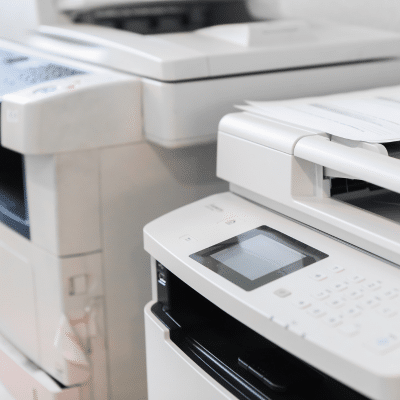
 A reliable office copier is essential to any workplace’s productivity. Knowing how to maintain an office copier properly can save you time, money and frustration. Whether you print documents daily or only occasionally, your copier needs proper care to function efficiently and last for years. At Powers Business Machines in Newport News, VA, we’re here to guide you on how to maintain an office copier with key tips and best practices to extend its lifespan.
Regular Cleaning Is Key
One of the first steps in learning how to maintain an office copier is keeping it clean. Dust, toner buildup and paper debris can cause print quality issues and jams.
- Clean the copier’s exterior with a soft, damp cloth.
- Wipe the scanner glass carefully to avoid smudges.
- Remove paper dust and toner residue from the interior regularly, always turning off the machine first.
Use Quality Paper and Supplies
Understanding how to maintain an office copier also means using the right materials.
- Use high-quality paper recommended by the manufacturer to prevent jams.
- Avoid damp or wrinkled paper.
- Always choose original or approved toner cartridges to maintain print quality and protect the copier.
Maintain an Optimal Environment
Learning how to maintain an office copier includes placing it in the right environment.
- Keep your copier away from direct sunlight and heat sources.
- Maintain moderate humidity levels to prevent paper sticking or static buildup.
- Position the copier in a low-dust area to avoid contamination.
Handle Paper Jams Properly
Knowing how to maintain an office copier involves careful handling of paper jams.
- Follow the manufacturer’s instructions when clearing jams.
- Avoid pulling paper forcefully to prevent damaging internal parts.
- Check for any leftover paper bits that might cause future issues.
Perform Routine Preventive Maintenance
Part of how to maintain an office copier is scheduling regular maintenance.
- Inspect rollers, belts and other components for wear.
- Replace consumable parts like rollers and fusers as needed.
- Keep copier software and firmware updated for improved performance.
Train Employees on Proper Use
A big aspect of how to maintain an office copier is educating users.
- Show staff how to load paper correctly.
- Teach safe jam-clearing methods.
- Encourage prompt reporting of unusual noises or error messages.
Turn Off the Copier When Not in Use
Part of how to maintain an office copier includes energy-saving habits.
- Power off the copier during long idle periods to reduce wear.
- Use standby modes for shorter breaks to balance longevity and convenience.
Monitor Toner Levels
Knowing how to maintain an office copier means keeping toner at healthy levels.
- Replace toner cartridges before they run completely empty.
- Gently shake cartridges to maximize use but don’t delay replacement.
Schedule Professional Servicing
A key to how to maintain an office copier effectively is regular expert servicing.
- Professional maintenance can catch and fix hidden issues.
- Technicians use specialized tools and genuine parts.
- Scheduled servicing reduces downtime and extends copier life.
Why Proper Maintenance Matters for Your Business
Investing in proper maintenance not only protects your copier but also supports your business’s overall efficiency. A well-maintained copier reduces downtime, minimizes costly repairs, and ensures consistent print quality — all of which keep your office running smoothly. By understanding how to maintain an office copier and following simple care routines, you can avoid unexpected disruptions and focus on what matters most: your work. Remember, preventive care is always more cost-effective than emergency fixes.
Final Thoughts
At Powers Business Machines in Newport News, VA, we know understanding how to maintain an office copier is about adopting smart, routine habits that prevent breakdowns and keep your machine running smoothly. Following these tips ensures consistent print quality, fewer repairs and a longer-lasting copier.
For expert help on how to maintain an office copier or to set up a maintenance plan, contact Powers Business Machines today. We’re here to support your office with reliable service and expert advice to keep your copier performing at its best for years to come.