
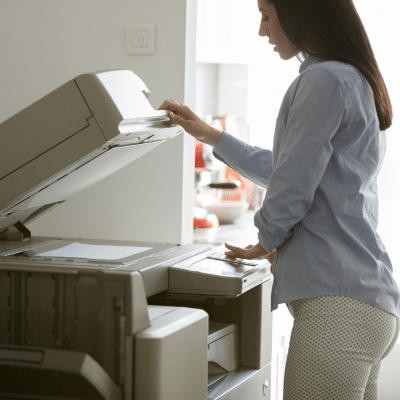
 Office copiers are workhorses. They’re used all day, every day, and when they stop working, productivity grinds to a halt. At Powers Business Machines in Newport News, VA, we understand that not every hiccup requires a service call. Many common issues can be resolved quickly and safely in‑house with DIY fixes for common copier problems, saving time and avoiding unnecessary repair charges. Using these DIY fixes can prevent minor issues from turning into major interruptions.
Here’s a user‑friendly guide to quick, safe steps you can try first before calling for professional support.
1. Check the Basics: Power and Paper
Begin with the basic checks before tackling more complicated troubleshooting:
- Power Connection: Ensure the copier is securely plugged into a working outlet. An insecure connection can prevent it from starting.
- Power Reset: Turn the machine off, wait 30 seconds, then power it back on to clear minor glitches.
- Paper Tray Check: Make sure the paper is loaded correctly and the guides are snug. Misaligned paper often causes jams or misfeeds.
Starting with these simple checks is often all it takes. Using DIY fixes for common copier problems can prevent unnecessary service calls and improve overall machine performance.
2. Clear Paper Jams Carefully
Paper jams are the most frequent copier issue, and usually simple to fix:
- Follow Display Prompts: Modern copiers indicate exactly where the jam occurred.
- Pull Paper Gently: Avoid force; carefully remove jammed sheets to prevent damage.
- Check All Traps: Open all indicated panels and inspect rollers and paper paths.
Routine use of DIY fixes for common copier problems like these can keep your copier running smoothly.
3. Clean the Machine Regularly
Dust, toner buildup, and debris can cause streaks, misfeeds, or faint copies:
- Exterior Cleaning: Gently clean the exterior using a soft cloth.
- Scanner Glass: Use a lint-free cloth and approved cleaner on the flatbed.
- Internal Cleaning: Remove visible debris with the unit off—avoid touching sensitive components.
Incorporating DIY fixes for common copier problems like regular cleaning prolongs the copier’s life and reduces service needs.
4. Use the Right Supplies
Incorrect paper or toner often triggers copier problems:
- Paper Quality: Use the recommended paper type; low-quality or damp sheets increase jam risk.
- Toner & Supplies: Use approved toner to prevent streaks and internal damage.
Selecting the right supplies is one of the simplest DIY fixes for common copier problems you can implement.
5. Monitor Copier Environment
Where your copier is placed impacts performance:
- Ventilation: Ensure adequate airflow around the copier. Overheating can slow operation.
- Dust & Stability: Keep the machine on a clean, stable surface to reduce wear and tear.
Environmental checks are among the essential DIY fixes for common copier problems that prevent recurring issues.
6. Check Settings for Print Quality Issues
Faded, blurry, or streaked copies often result from incorrect settings rather than hardware failure:
- Paper Type Settings: Confirm the menu selection matches the loaded paper.
- Print Density: Adjust density if copies are too dark or light.
- Toner Levels: Low toner can cause fading; replace as needed.
These setting adjustments are quick DIY fixes for common copier problems that can improve output immediately.
7. Know When to Contact a Technician
Some problems still require professional support:
- Persistent error codes
- Grinding or unusual mechanical sounds
- Issues returning repeatedly despite using DIY fixes for common copier problems
At Powers Business Machines in Newport News, VA, our service team is ready to assist, but trying these simple steps first often resolves most issues. Regularly implementing DIY fixes for common copier problems can minimize downtime and keep your office running efficiently.
DIY Fixes for Common Copier Problems: Contact Us Today
Copier issues don’t always demand a service call. By checking power, clearing jams carefully, cleaning regularly, using the correct supplies, monitoring the environment and adjusting settings, many problems can be solved with DIY fixes for common copier problems. Implementing these quick, safe solutions maintains productivity, protects your investment and reduces downtime, and when professional help is needed, Powers Business Machines is here to provide reliable support. Contact us today to learn more.