
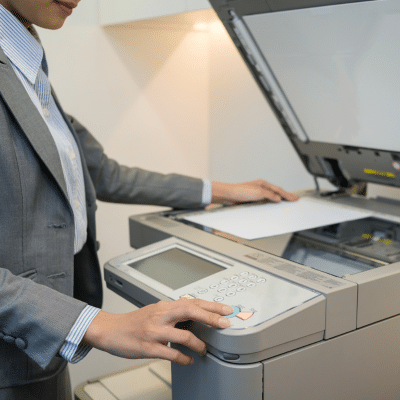
 Office machines like copiers, shredders and fax machines are essential tools in any business environment. Ensuring their longevity and optimal performance necessitates regular maintenance and care. In this comprehensive guide, Powers Business Machines provides valuable maintenance tips and discuss routine checks and cleaning procedures to keep these machines running smoothly for years to come for our customers in Newport News, Poquoson, Hampton and Williamsburg, VA.
Copiers: Essential Maintenance Tips
Copiers are the backbone of many office operations, making it crucial to keep them in top shape. Here are some key maintenance tips for these office machines:
-
Regular Cleaning
- Exterior: Dust the exterior surfaces regularly with a microfiber cloth to prevent dust buildup, which can affect the copier’s performance.
- Glass Surface: Clean the glass surface with a non-abrasive glass cleaner to ensure clear and smudge-free copies.
-
Internal Cleaning
- Toner Cartridges: Replace toner cartridges promptly when they run low. Avoid shaking cartridges to extend their life.
- Paper Path: Remove any paper debris or dust from the paper path using a soft brush or compressed air. This prevents paper jams and ensures smooth operation.
-
Routine Checks
- Software Updates: Regularly check for and install software updates provided by the manufacturer to improve functionality and fix bugs.
- Wear and Tear: Inspect the rollers and belts for signs of wear and tear. Replace any worn parts to preserve efficiency.
-
Proper Usage
- Paper Quality: Use the recommended paper quality and size to avoid jams and ensure high-quality prints.
- Humidity Control: Keep the copier in a dry environment to prevent moisture-related issues.
Shredders: Essential Maintenance Tips
Shredders are vital for maintaining confidentiality and protecting sensitive information. To keep your shredder functioning effectively, follow these maintenance tips for these key office machines:
-
Regular Cleaning
- Blades: Clean the shredder blades regularly to prevent paper buildup. Use shredder oil to lubricate the blades, ensuring smooth cutting action.
- Exterior: Clean the outside using a damp cloth to eliminate dust and debris.
-
Routine Checks
- Bin Capacity: Empty the shredder bin frequently to avoid overfilling, which can strain the motor and lead to jams.
- Motor Inspection: Periodically check the motor for overheating and unusual noises. Resolve any issues quickly to avoid damage.
-
Proper Usage
- Paper Thickness: Adhere to the manufacturer’s guidelines on paper thickness and types. Avoid shredding materials that can damage the blades, such as paper clips and staples.
- Duty Cycle: Follow the recommended duty cycle to prevent overheating. Allow the shredder to cool down between sessions if necessary.
-
Safety Precautions
- Automatic Shutoff: Ensure your shredder has an automatic shutoff feature to prevent overheating and reduce fire risk.
- Children and Pets: Keep shredders out of reach of children and pets to avoid accidents.
Fax Machines: Essential Maintenance Tips
Although less common today, fax machines are still used in many offices. Here are some tips to keep these office machines in good condition:
-
Regular Cleaning
- Scanner Glass: Clean the scanner glass with a soft, lint-free cloth and a mild glass cleaner to ensure clear transmissions.
- Paper Feed: Remove dust and debris from the paper feed rollers to prevent jams and ensure smooth paper handling.
-
Routine Checks
- Phone Line: Check the phone line connections regularly to ensure clear communication and avoid transmission errors.
- Cartridges: Replace ink or toner cartridges when they run low. Keep extra cartridges available to minimize downtime.
-
Proper Usage
- Document Quality: Ensure documents are free of staples and paper clips before faxing to avoid damage to the machine.
- Memory Management: Regularly clear the machine’s memory to prevent it from becoming full and blocking incoming faxes.
-
Software Updates
- Firmware: Update the firmware periodically to ensure compatibility with modern communication protocols and improve performance.
General Tips for All Office Machines
- User Training: Ensure that all users are trained on the proper operation and maintenance of office machines to prevent misuse and damage.
- Scheduled Maintenance: Set up a regular maintenance schedule with a professional service provider to address any issues before they become major problems.
- Proper Environment: Place machines in a clean, dust-free environment with adequate ventilation to prevent overheating and dust buildup.
Maintenance Solutions from Powers Business Machines, Newport News, VA
At Powers Business Machines in Newport News, VA, maintaining office machines like copiers, shredders and fax machines is essential for their longevity and efficiency. By following these maintenance tips and performing routine checks and cleaning procedures, you can ensure that your office machines remain in excellent condition, minimizing downtime and repair costs. We are committed to helping you keep your office running smoothly with top-quality products and expert maintenance services.