
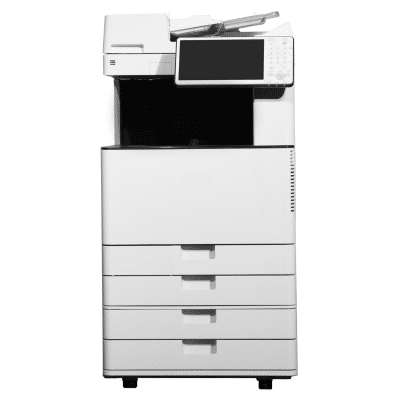
 In today’s fast-paced business environment, modern office printers are more than just a convenience—they’re essential tools for productivity. Whether you’re printing reports, scanning contracts, or managing large volumes of documents, having the right printer can significantly enhance your team’s efficiency. At Powers Business Machines in Newport News, VA, we understand the needs of today’s workplaces, and we’ve created this guide to help you identify the top features to look for in office printers.
All-in-One Functionality
One of the most important features of modern office printers is multifunctionality. A good printer should combine printing, scanning, copying and faxing. This not only saves space but also streamlines workflows and reduces the need for multiple devices.
Wireless and Mobile Printing
Modern office printers are built with flexibility in mind. Look for models that support wireless printing and mobile printing options like AirPrint, Google Cloud Print, or brand-specific mobile apps. These features allow your team to print from anywhere in the office using smartphones, tablets, or laptops.
Fast Printing Speeds
Speed is a critical feature of office printers. Depending on the size of your team and volume of printing, you’ll want a printer that offers anywhere from 20 to 70 pages per minute (PPM). High-speed output keeps your workflow moving smoothly, especially during busy periods.
High Paper Capacity
Modern office printers should be able to handle large print jobs without constant interruptions. Choose models with high paper input capacity, ideally 250 sheets or more and options for additional trays if needed.
Duplex Printing (Automatic Double-Sided Printing)
Automatic duplex printing is standard in many modern office printers. It helps reduce paper usage, lower costs and support your organization’s sustainability goals—all without slowing down productivity.
Enhanced Security Features
With cybersecurity threats on the rise, modern office printers must include strong security features. Look for encrypted data transfer, user authentication and secure pull-printing capabilities to protect sensitive business information.
High Print Resolution
For professional-quality documents, office printers should offer excellent resolution. Aim for at least 1200 x 1200 dpi for laser printers and up to 4800 x 1200 dpi for inkjets to ensure clear, sharp prints.
Cloud Connectivity and Workflow Integration
One of the standout features of modern office printers is cloud connectivity. The ability to print from or scan to cloud storage platforms like Google Drive, Dropbox, or Microsoft OneDrive allows seamless integration into your digital workflows.
Intuitive Touchscreen Interface
Modern office printers often come equipped with easy-to-use touchscreen interfaces. These allow for customized shortcuts, simplified navigation and a more intuitive user experience—perfect for busy teams with varying levels of tech comfort.
Energy Efficiency
Look for ENERGY STAR® certified modern office printers. Many models offer energy-saving modes and eco-friendly features that help reduce power consumption and operational costs.
Reliable Support and Maintenance
Even the most advanced modern office printers need regular maintenance and occasional repairs. Working with a trusted provider like Powers Business Machines ensures quick support and expert service to minimize downtime.
Finding the Right Fit
Not all modern office printers are created equal, so it’s important to consider your specific business needs. Do you print high volumes? Do you need mobile printing or cloud access? By identifying what features matter most, you can find the best match for your team.
At Powers Business Machines in Newport News, VA, we help businesses choose the right modern office printers to suit their workflows and budget. Whether you’re upgrading or outfitting a new office, we’ll guide you every step of the way.
Find the Best Modern Office Printers for Business in Newport News, VA Today
Today’s modern office printers do much more than print—they enhance workflow, improve security and support flexible work environments. By investing in a printer with the right features, you’ll save time, reduce costs and increase productivity across your organization.
Contact Powers Business Machines today to explore the best modern office printers for your workplace.