
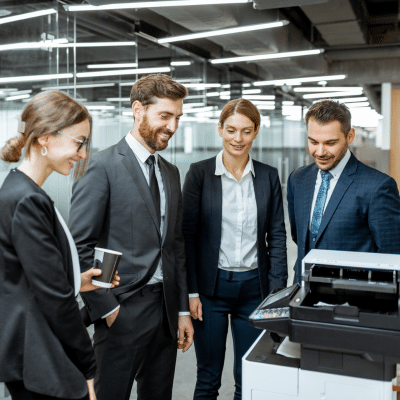
 In any modern office, technology plays a vital role in daily operations. From copiers and fax machines to shredders and multifunction printers, these machines help teams stay productive, organized and secure. But having great equipment is only part of the equation. Knowing how to train staff on office equipment is what ensures maximum efficiency. At Powers Business Machines in Newport News, VA, we’ve spent more than five decades helping businesses make the most of their office equipment, and effective staff training is a cornerstone of success.
Why Office Machine Best Practices Matter
Office machines are essential tools in the workplace. A reliable copier or printer keeps workflows smooth; a secure shredder protects sensitive information; and a dependable fax machine ensures critical communications go through without a hitch. When employees are unsure how to train staff on office equipment, it can lead to frustration, wasted time, downtime and even costly mistakes.
Training your team on best practices empowers them to:
- Use equipment efficiently and correctly
- Troubleshoot common issues
- Perform preventive maintenance
- Improve workplace productivity
- Minimize downtime from errors or misuse
A well-trained team is confident and capable, and confident teams keep the office running. Knowing how to train staff on office equipment helps ensure your team can handle daily challenges independently.
Start with the Right Equipment and Resources
Before training begins, ensure your office is equipped with the right machines. Powers Business Machines offers a full range of office machines, including Sharp copiers, fax machines, shredders and multifunction devices tailored to meet diverse business needs.
Understanding the specific equipment you have (including its features and limitations) is the first step in learning how to train staff on office equipment effectively.
Create a Comprehensive Training Plan
A successful training program isn’t a one-time event; it’s a structured plan that covers each tool your team uses. Here’s how to build one:
1. Start with the Basics
Begin by introducing each machine and its primary functions. Cover the essentials such as:
- Powering the device on and off safely
- Loading paper and supplies properly
- Using basic features like copying, scanning, or faxing
This foundation helps team members feel comfortable interacting with the equipment from day one and reinforces how to train staff on office equipment correctly.
2. Demonstrations and Hands-On Practice
Hands-on experience is usually the best way to learn. Have an experienced staff member demonstrate tasks step-by-step, then let your team try it themselves. Practical, hands-on experience strengthens learning and boosts confidence. Teaching employees through practice ensures skills stick.
For example, walking through a routine like printing a multi-page document or changing toner helps employees understand the process intuitively. This is a crucial step in knowing how to train staff on office equipment in a practical setting.
3. Highlight Maintenance Best Practices
Proper maintenance extends the life of your office machines and keeps them running smoothly. Teach your team how to:
- Clean machines regularly
- Clear paper jams correctly
- Monitor supply levels (like toner or paper)
Ongoing maintenance prevents common issues and reduces costly service calls. Learning how to train staff on office equipment includes emphasizing preventive care.
4. Document Procedures
Create simple job aids or checklists for common tasks. These can be printed and placed near equipment as quick reference guides. A clear step-by-step sheet can help staff operate machines correctly, especially under pressure.
5. Teach Troubleshooting Basics
Equip your team with the ability to handle small issues on their own so that minor problems don’t disrupt workflow. For example:
- How to fix a paper misfeed
- Resetting a machine after an error
- Identifying when a service call is necessary
Knowing how to train staff on office equipment to troubleshoot minor problems improves overall uptime.
Encourage Ongoing Learning
Technology evolves, and so should training. Schedule periodic refreshers to cover new features or equipment updates. Consider peer-to-peer sessions where team members share tips and solutions they’ve discovered. This reinforces how to train staff on office equipment continuously.
Final Thoughts
At Powers Business Machines in Newport News, VA, we know investing time in training your team on office machine best practices pays dividends in productivity, efficiency and peace of mind. With the right plan in place—one that includes equipment fundamentals, maintenance routines, documentation and reinforcement—your office can run smoother and smarter. Remember, mastering how to train staff on office equipment is not just about operation; it’s about creating a culture of confidence, skill and efficiency. If you have questions, contact us today!